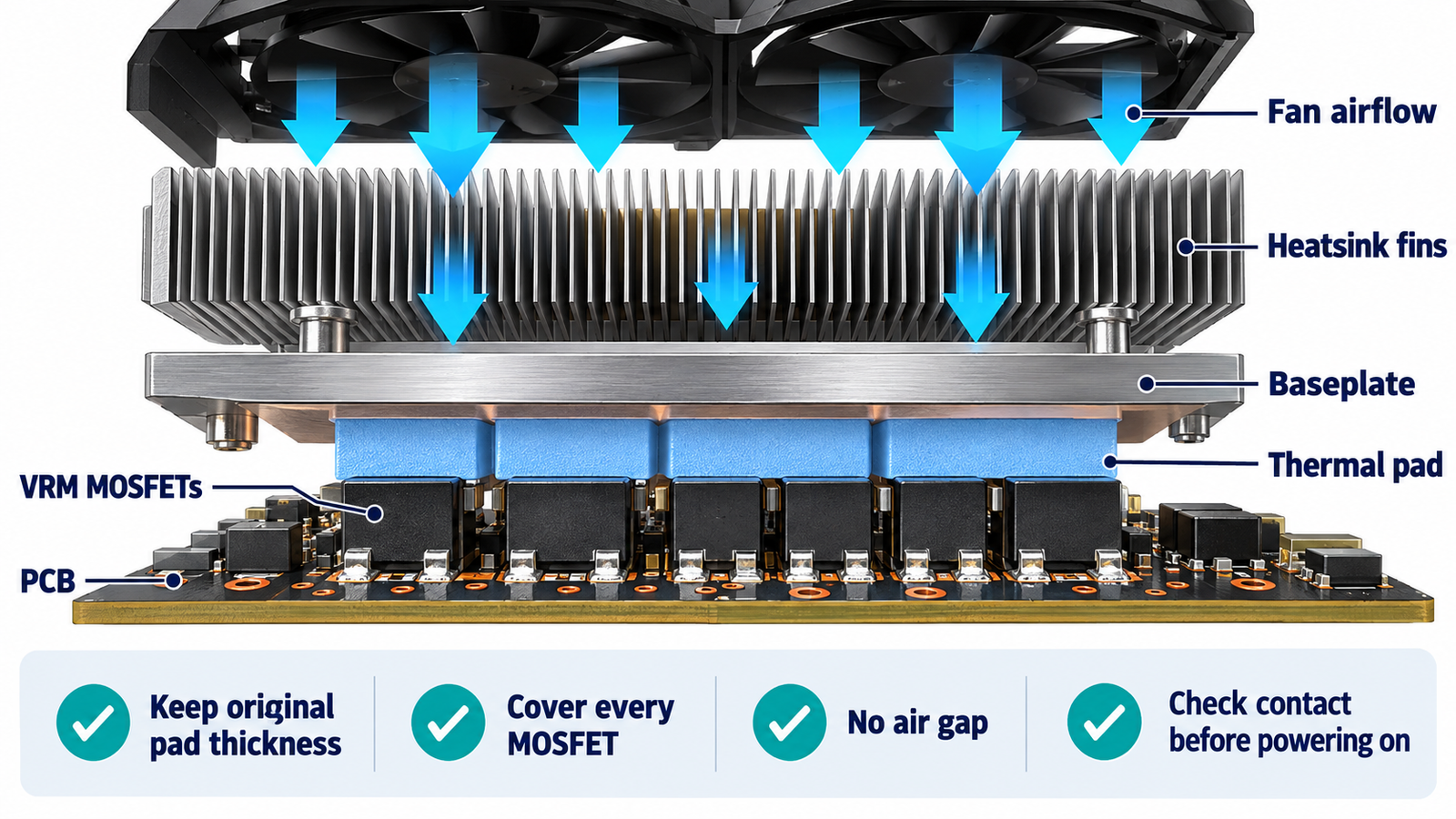
Yes. The MOSFETs in an RX 580 voltage-regulator module need an effective cooling path under sustained load. Most cards use thermal pads to couple the VRM power stages or discrete MOSFETs to the main heatsink, a separate metal plate, or both. Air from the GPU fans then removes the heat. Running the board without the original pads or with poor heatsink contact can overheat the VRM even when the GPU core temperature looks acceptable.
The exact layout differs by manufacturer and PCB revision. Before replacing pads or installing a water block, identify the specific card model and preserve the cooling method designed for that board.
Why the RX 580 VRM produces heat
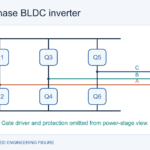
The VRM converts 12 V from the power connectors and PCIe slot into lower voltages at high current for the GPU core and memory. Its MOSFETs repeatedly switch current through inductors. They dissipate conduction loss from RDS(on), switching loss during voltage-current overlap, gate-drive-related loss, and reverse-current loss. Higher core voltage, overclocking, power-limit increases, and heavy compute workloads increase stress.
Temperature raises MOSFET on-resistance, which creates more conduction loss and can reinforce heating. The overview of why MOSFETs get hot provides the underlying loss mechanisms. Good contact and airflow interrupt that feedback loop.
How the stock cooler protects the VRM
On many RX 580 designs, a shaped section of the main heatsink or a secondary plate sits above the VRM. A compressible thermal pad bridges the uneven gap from package tops to metal. The pad is not decorative: it displaces air, accommodates tolerances, and conducts heat over a much larger area. Fans drive air across fins or the plate, while the PCB copper also spreads some heat.
A backplate can spread heat and protect the card, but it is not automatically the primary VRM cooler. Its effect depends on pad placement, material, airflow, and mechanical contact. Never assume a cosmetic backplate replaces the front-side thermal path.
Do not remove pads without replacing them correctly
Old pads can tear when the cooler is removed. Replace damaged material with electrically nonconductive thermal pads of appropriate thickness and compressibility. A pad that is too thin may not touch; one that is too thick can prevent the GPU cold plate from seating, bow the PCB, or overload components. Thermal conductivity matters, but fit and compression are equally important.
Measure the original pads before discarding them and check a model-specific service source when possible. Do not substitute ordinary thermal paste across a millimeter-scale gap. Paste is intended for very thin bond lines and can pump out or leave no mechanical support.
How to recognize inadequate VRM cooling
Possible symptoms include crashes under load, black screens, clock throttling, fan surging, hot-electronics odor, browned PCB, brittle pads, or instability after a cooler service. These symptoms are not unique to the VRM, so diagnosis should also cover the power supply, connectors, memory, driver, solder joints, and GPU core.
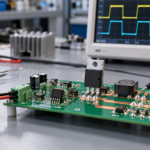
Some cards expose VRM telemetry; others do not. A thermal camera can identify hotspots, but shiny metal and package surfaces distort readings. Apply a small high-emissivity marker only where electrically and mechanically safe, or use a thin thermocouple placed without compromising contact. The article on PCB thermal paths for power MOSFETs explains why surface temperature is not identical to junction temperature.
Service and test the card safely
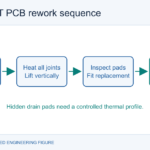
Disconnect mains power, discharge yourself, and remove the card without levering components. Photograph the original pad locations and screw sequence. Clean only the intended GPU interface with suitable materials; keep debris and liquids away from inductors and connectors. Reassemble with the correct pads, fresh GPU thermal compound, and even screw pressure in a cross pattern. Verify that cables cannot obstruct the fans.
Start with stock clocks and a normal power limit. Monitor core, fan, and any available VRM sensors while gradually applying load. Stop if temperature rises rapidly, fans fail, artifacts appear, or the card becomes unstable. A repaired thermal path should be validated for a sustained workload, not just a desktop idle screen.
What changes with aftermarket or water cooling
An aftermarket GPU cooler may cover the core but leave the VRM exposed. Small stick-on heatsinks need clean surfaces, reliable attachment, clearance, and direct airflow. A full-cover water block must match the exact PCB and use the specified pad map. Misplaced or overly thick pads can stop the block from seating on the GPU die.
Liquid cooling the core can reduce air movement around the board, so VRM and memory cooling must be designed explicitly. Inspect pump operation, coolant temperature, block contact, and case airflow. The shared-heatsink discussion in mounting multiple MOSFETs on one heatsink is relevant to contact, isolation, and combined heat flow.
Cooling is part of reliability, not just performance
Semiconductor lifetime, capacitor life, solder fatigue, and pad aging are all affected by temperature and thermal cycling. A card that does not immediately crash can still be operating with poor margin. Keep heatsink fins clean, maintain case intake and exhaust paths, and replace failing fans. Avoid aggressive voltage increases; additional voltage can raise VRM current and MOSFET loss sharply.
If a MOSFET has already failed, component replacement alone is not enough. The gate driver, controller, current-sense network, nearby capacitors, shorted GPU rail, and power source must be checked. The connection fundamentals in wiring a MOSFET help explain why gate, source return, and drain-path damage can propagate.
Frequently asked questions
Can an RX 580 run without VRM thermal pads?
It may appear to run at light load, but removing a designed thermal path is unsafe for sustained operation. Restore the specified pads and heatsink contact.
Can I use thermal paste instead of a pad?
Not for a significant gap. Paste works in a thin interface; pads bridge controlled gaps and provide compression. Use the correct pad type and thickness.
Is GPU core temperature enough to judge VRM cooling?
No. The core and VRM have different heat sources and paths. A cool core can coexist with overheated MOSFETs.
Will a backplate cool the MOSFETs?
Only if the board design thermally couples the relevant components to it. Treat it as supplemental unless the specific card documentation shows otherwise.